Chrome extension first
Install the extension, sign in with a Redol account, open a Feishu or Lark document you already have access to, and choose Markdown, HTML, or DOCX.
Sign in for one free single-document export. Redol Premium unlocks continued exports and batch download for Feishu and Lark documents you can access, with optional AI summaries after export.
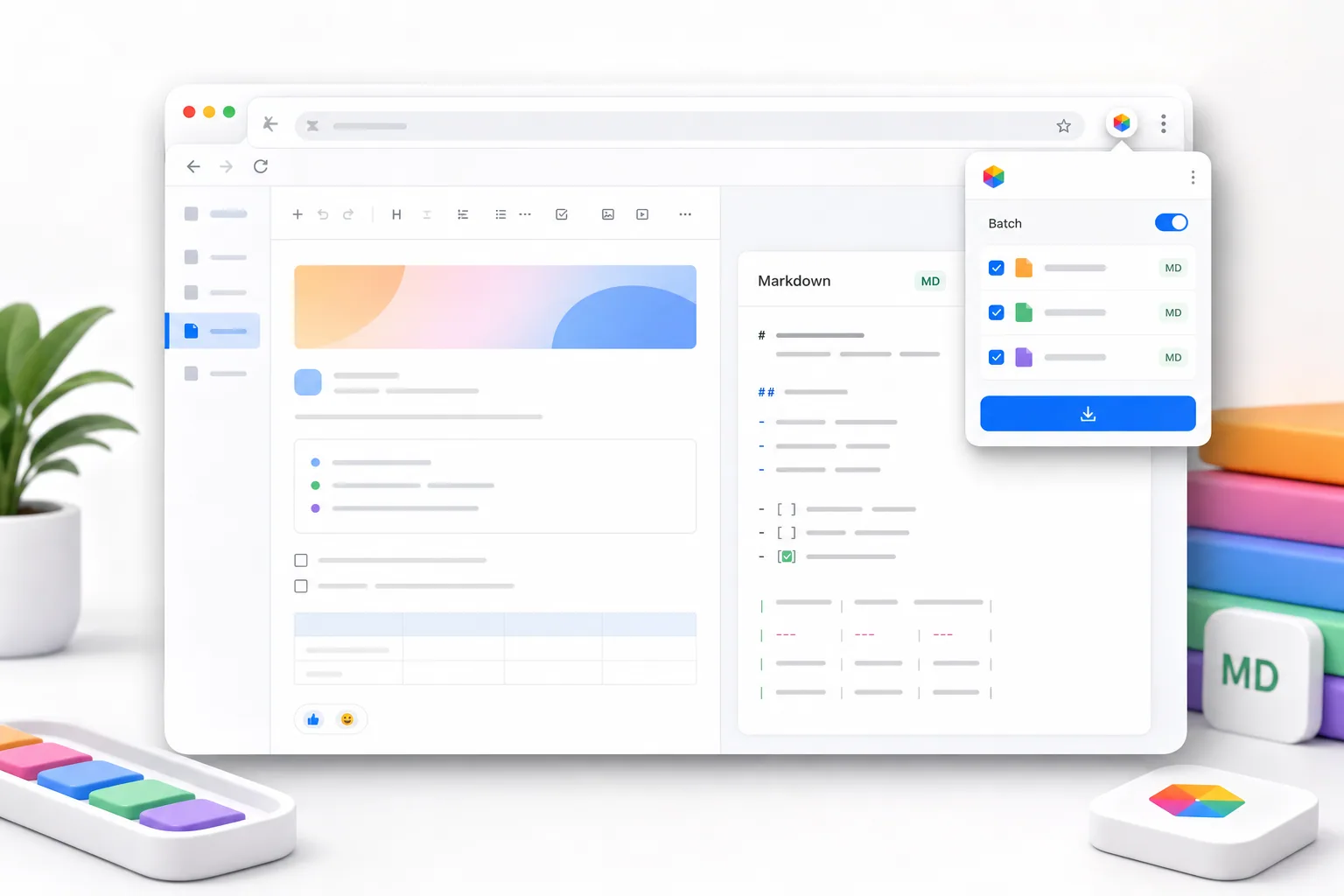
Install the extension, sign in with a Redol account, open a Feishu or Lark document you already have access to, and choose Markdown, HTML, or DOCX.
Copy clean Markdown or HTML or download a native DOCX with one free single-document trial. Redol Premium unlocks continued use and batch Markdown export.
Designed for
The extension only exports documents you are authorized to view. Local exports are not uploaded to Redol; document content is sent to the AI service only when you manually request a summary.
Product features
A Redol-authenticated Chrome workflow for saving internal knowledge, research notes, team docs, and project specs in the format your next tool needs.
Copy readable Markdown, place structured HTML on the clipboard, or download a native DOCX with headings, lists, tables, links, and code intact.
When normal selection, right-click, or copy shortcuts are disabled, Redol still helps you preserve the document content you are allowed to view.
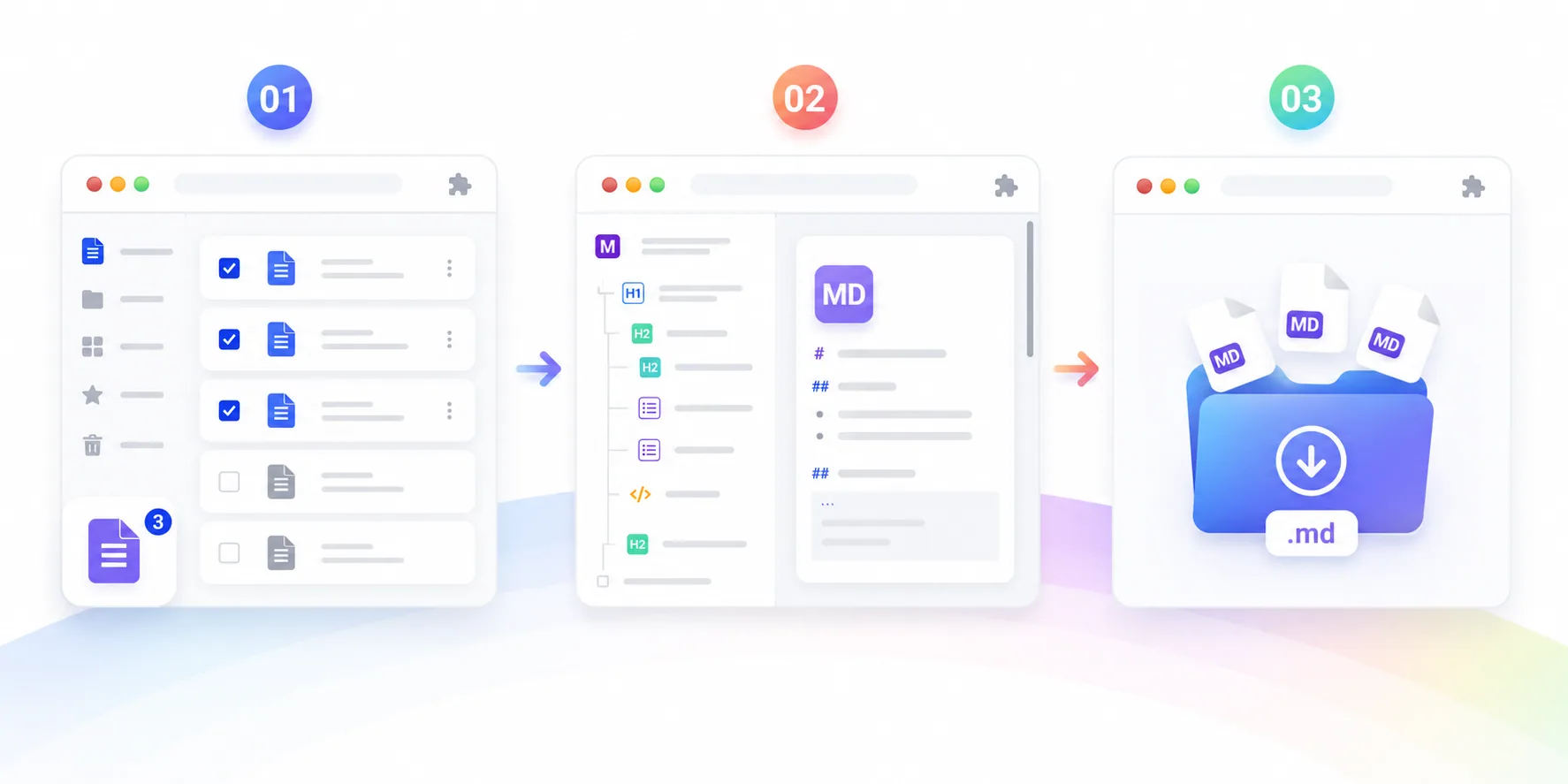
Redol Premium members can collect multiple document URLs, export them in one run, and download a tidy folder of .md files.
Keep document hierarchy readable by converting headings, checklists, tables, links, and image references into Markdown-friendly structure.
Markdown, HTML, and DOCX stay in your browser and local files. Redol receives document content only for an AI summary you explicitly request.
After a successful export, manually generate a concise summary, copy the result, or skip AI entirely without changing the local export.
Workflow
Redol Lark Downloader keeps the workflow explicit: sign in, export locally, and choose whether AI should ever receive the content.
Connect the extension to your Redol account, then visit a Feishu or Lark document that your own account can already view.
Copy Markdown or HTML to the clipboard, or download a native DOCX while preserving useful document structure.
Local export does not upload the document. Only a separate, manual summary action sends content to Redol AI.
Why teams use it
The goal is to preserve documents you can legitimately view in a format that stays useful outside Feishu.
Markdown output keeps semantic structure, so you spend less time fixing bullets, tables, code snippets, and headings after export.
Recover content from pages where document owners disabled browser copy, selection, or context menu behavior.
Batch mode is ideal for handovers, research libraries, project shutdowns, and internal knowledge-base migrations.
Markdown, HTML, and DOCX keep your knowledge usable across editors, version control, office suites, knowledge bases, and publishing systems.
FAQ
The extension supports clean Markdown, clipboard-ready HTML, and native DOCX downloads for Feishu and Lark documents you can open.
Yes. If the document is visible to your account but the page blocks normal copying, Redol can help export that visible content into Markdown.
No. It does not grant access to private documents, bypass login, or steal credentials. You must already be able to open the document with your own account.
Yes. Batch mode exports multiple authorized documents into a local Markdown folder and requires an active Redol Premium membership.
Each signed-in free account receives one successful single-document export in any supported format. Failed exports do not use the trial. Continued use and batch download require Redol Premium.
Local exports are not uploaded. Content is sent to Redol AI only after you manually choose Generate AI summary; you can use every export format without AI.
Install the extension and sign in for one free single-document export. Upgrade to Redol Premium for continued and batch exports; AI summaries remain optional.