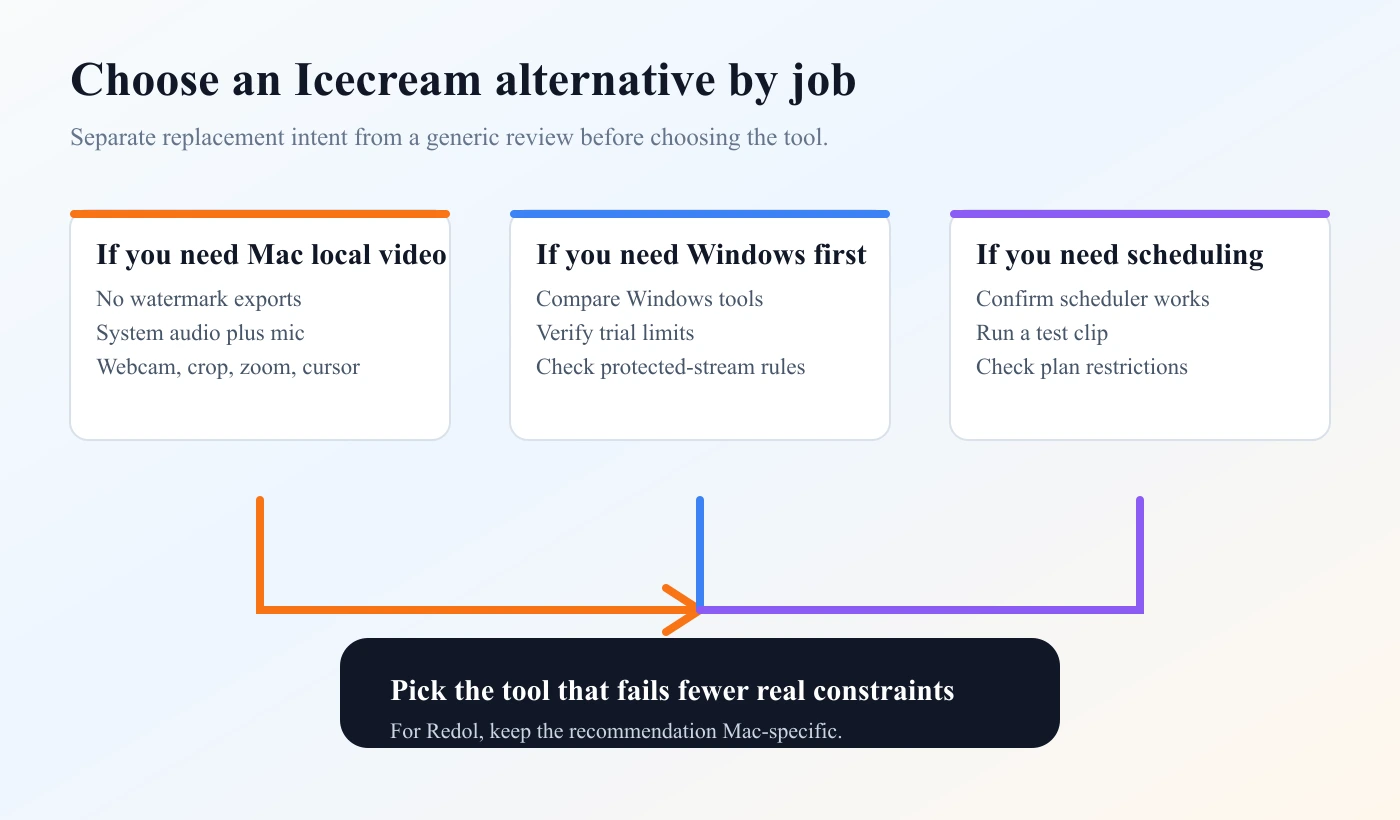
If you are looking for an Icecream Screen Recorder alternative, start with the constraint that made you look for one. Most people are not replacing a recorder because the category is confusing. They are replacing it because of watermark rules, recording limits, audio setup, platform fit, scheduling, screenshots, privacy, or export friction.
For Mac creator recordings, the short answer is simple: use Redol Screen Recorder when you need a local, no-watermark Mac MP4 with system audio, mic narration, webcam overlay, crop controls, zooms, cursor emphasis, and no cloud upload step. Keep Icecream on the shortlist when you want a broader conventional recorder with screenshot support, Windows/Mac/Android positioning, or scheduled recording that you have verified on the current plan.
Quick Comparison
| Replacement question | Icecream Screen Recorder | Redol Screen Recorder |
|---|---|---|
| Best fit | Broad desktop recording and screenshots | Local Mac creator recordings |
| Mac recording | Worth checking from the current product page | Strong fit for Mac-first MP4 workflows |
| Windows recording | Current product family positions Windows support | Windows client is planned, not live |
| Watermark and limits | Verify current free and PRO terms before relying on exports | Current Redol page positions Mac exports as no-watermark and unlimited |
| Audio and webcam | Product page positions audio and webcam capture | Current Redol page positions system audio, mic, and webcam overlay |
| Scheduling | PRO page lists scheduled recording as a plan-side capability | Not Redol's main job today |
| Local privacy | Check exact product behavior before recording sensitive material | Redol positions capture, rendering, and export as local on your Mac |
What the Icecream Alternative Search Really Means
The competitor page that triggered this opportunity is FonePaw's French article about an Icecream Screen Recorder alternative: Avis sur Icecream Screen Recorder et sa meilleure alternative. The page shape is not a generic review. It is a replacement article: understand Icecream, then decide what to use instead.
That distinction matters for Redol. Redol already has a separate Icecream Screen Recorder review that asks whether Icecream is worth evaluating. This article answers a different job: when you already want an alternative, what should the replacement criteria be?
Use the alternative path when:
- you need a cleaner Mac recording workflow
- the free or paid plan details are unclear for your project
- watermark behavior would make the exported video unusable
- system audio and microphone narration both need to work
- webcam placement, crop size, zooms, or cursor clarity affect the final tutorial
- you want local MP4 export instead of a cloud-first handoff
Check Icecream From Official Sources First
This article uses public-source evidence, not fake hands-on claims. The key official pages are the Icecream Screen Recorder product page and the Icecream Screen Recorder PRO page.
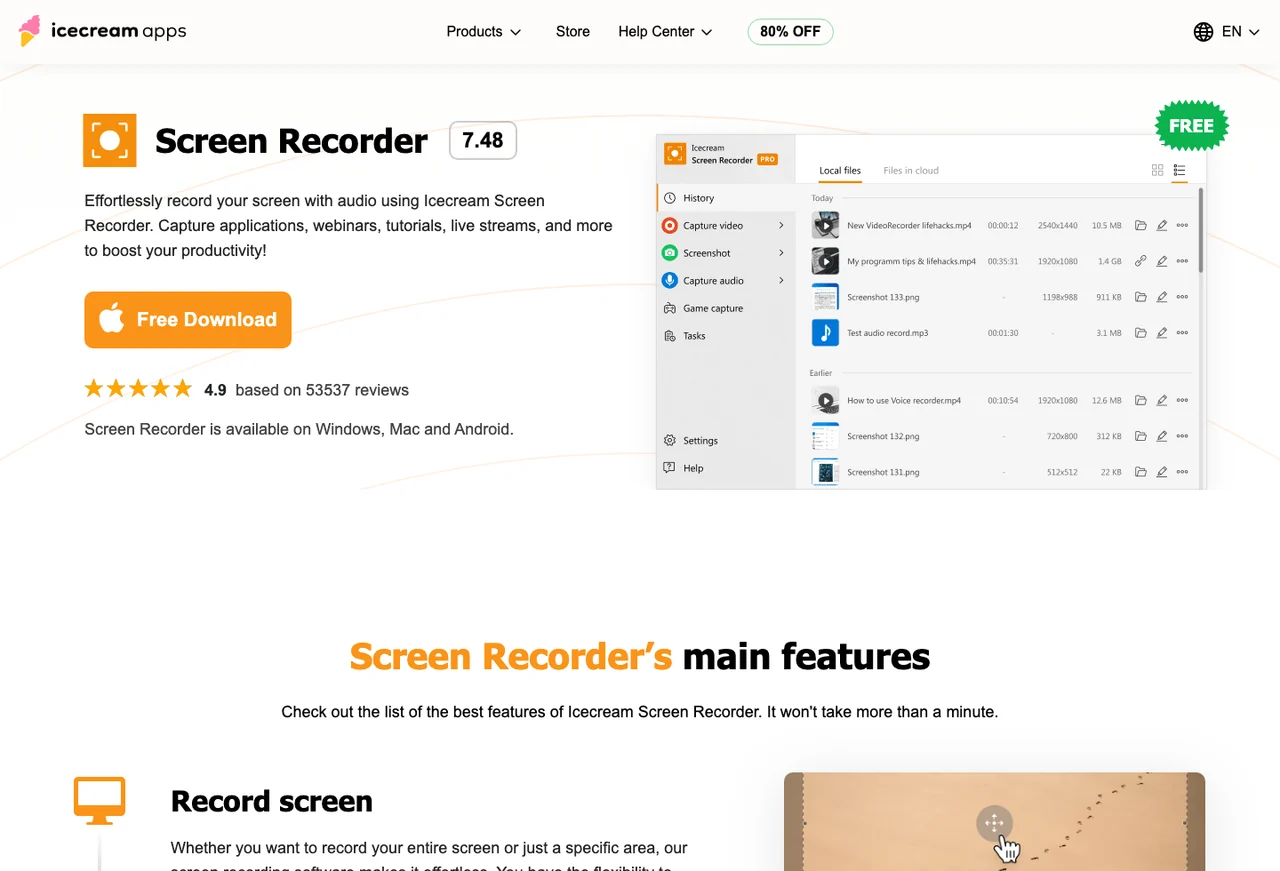
The current public product page positions Icecream around screen video capture, audio recording, webcam, screenshots, selected-area capture, and related desktop capture tasks. That makes it a reasonable candidate when you want one conventional recorder category instead of a narrow Mac workflow.
Before you choose it or replace it, separate three things:
- Product category: Does it record the screen, audio, webcam, and screenshots you need?
- Plan behavior: Do the current free and paid terms allow the length, watermark policy, export format, and commercial use you need?
- Workflow fit: Does the setup stay repeatable for your real project, not just a one-minute demo?
When Redol Is the Better Alternative
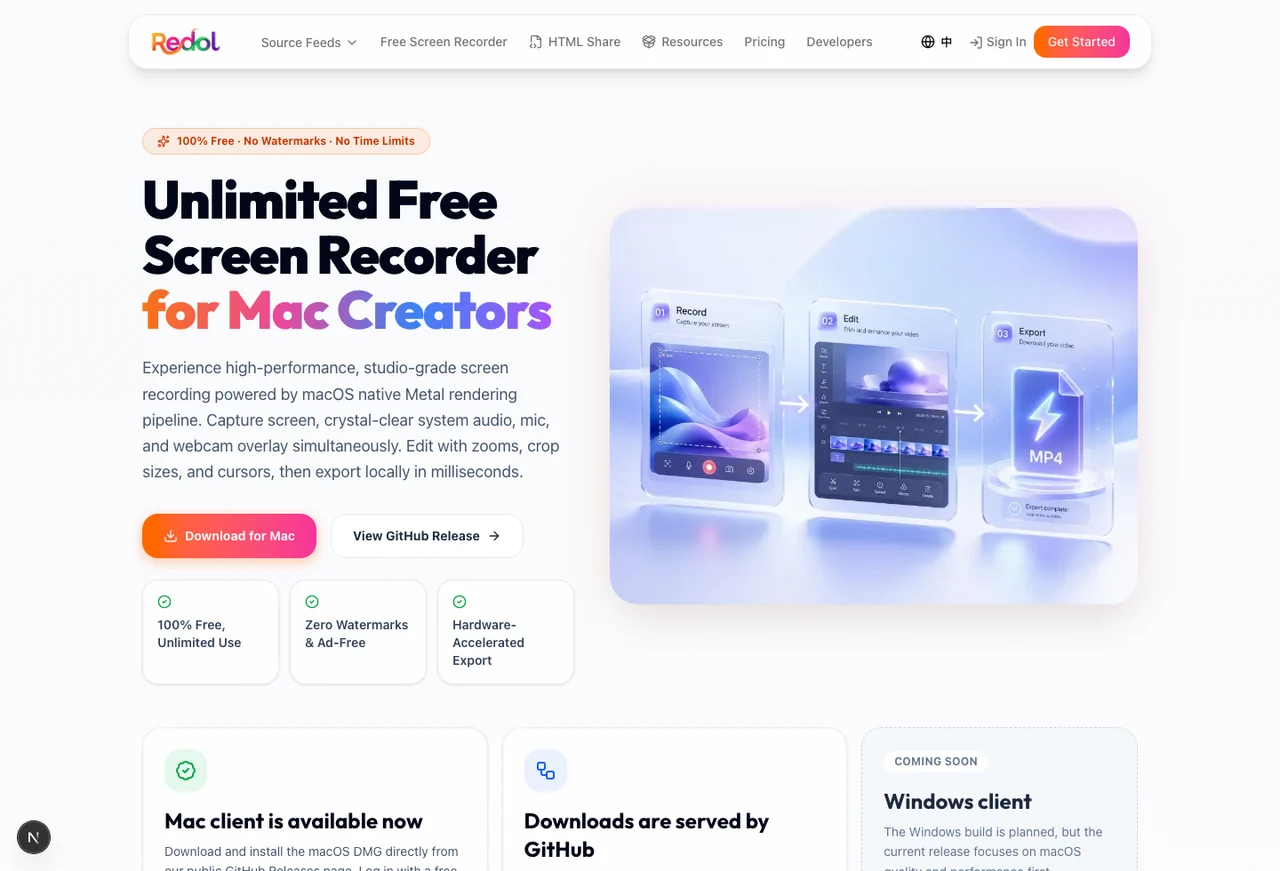
Redol Screen Recorder is the stronger Icecream alternative when the job is specifically Mac local recording. The current Redol route and source position it as a free macOS recorder with no watermarks, no recording time limits, system audio loopback capture, microphone narration, webcam overlay, zooms, crop and resize controls, cursor actions, and local MP4 export.
Choose Redol when:
- you record on Mac
- you want a no-watermark local MP4
- source video should stay on your computer before sharing
- system audio and mic narration both matter
- webcam overlay should be part of the capture, not a separate editing project
- crop, zoom, and cursor emphasis would make the tutorial easier to follow
- the video is a reusable product demo, support answer, course clip, async update, or software walkthrough
Do not choose Redol as the Icecream alternative for a Windows-first workflow yet. The current Redol product page presents the Windows build as planned, while the available download is Mac-focused. For Windows recording, compare current Windows tools from their official pages and run a short test clip before committing.
Record Mac tutorials without watermark cleanup
Use Redol Screen Recorder when the replacement job is local Mac capture with system audio, mic narration, webcam overlay, zooms, crop controls, cursor emphasis, and MP4 export.
When Icecream May Still Be the Better Fit
An alternative article should not pretend Redol is always the answer. Icecream may still be the better candidate when your project depends on a feature outside Redol's current center of gravity.
Keep Icecream or another broad recorder on the shortlist when:
- the recording must run on Windows today
- scheduled recording is the core requirement
- screenshot capture and screenshot editing matter as much as video
- Android coverage is part of the decision
- you want a conventional commercial recorder with one product family across several device types
- your team already uses Icecream and only needs to verify current plan limits
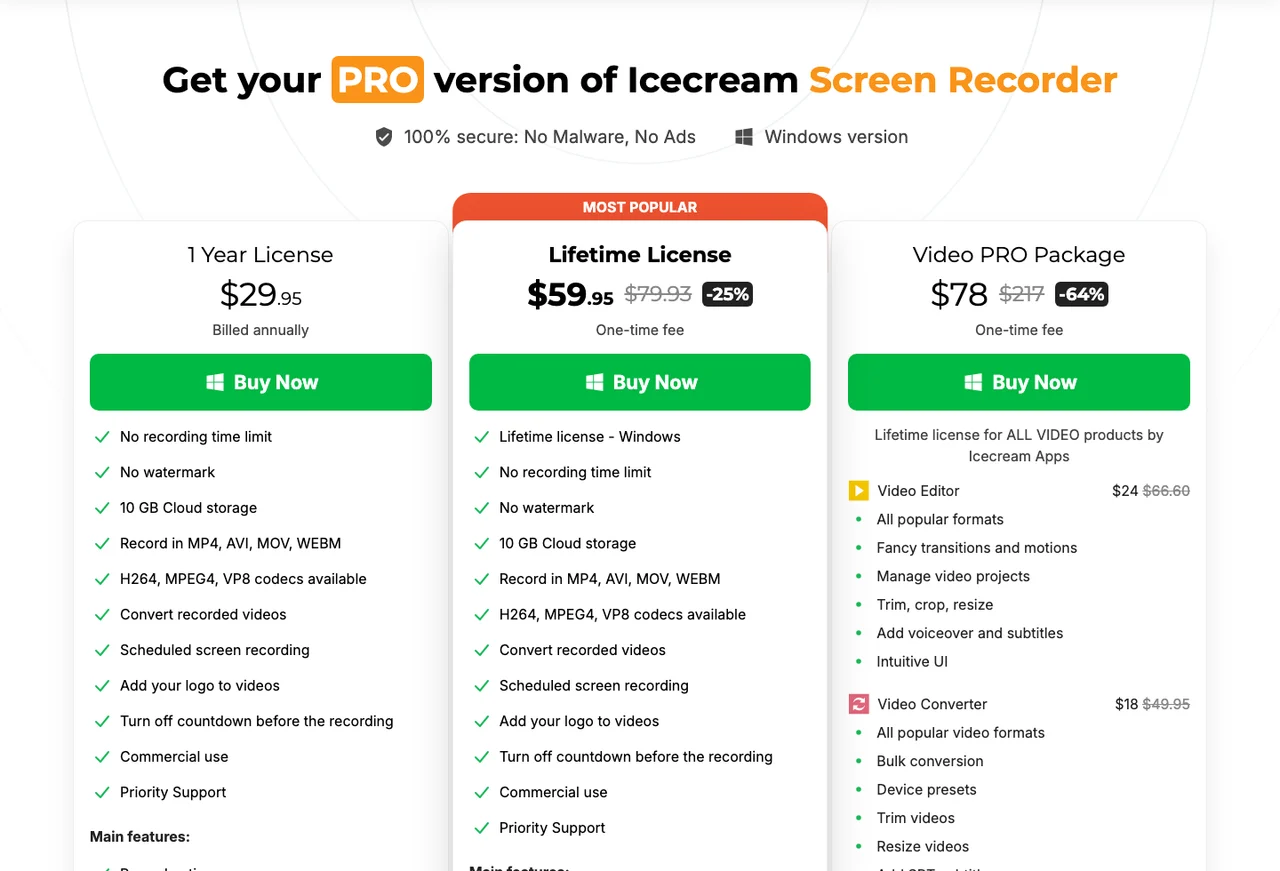
The PRO page is especially important because replacement decisions often come from plan friction. At the time this draft was prepared on July 3, 2026, Icecream's public PRO page described plan-side capabilities such as no recording time limit, no watermark, cloud storage, multiple video formats, scheduled recording, and commercial use. Treat those as current vendor claims to verify before buying, not timeless guarantees.
Replacement Checklist
Run one short test clip before moving a real workflow. A 60-second sample catches more problems than a long feature list.
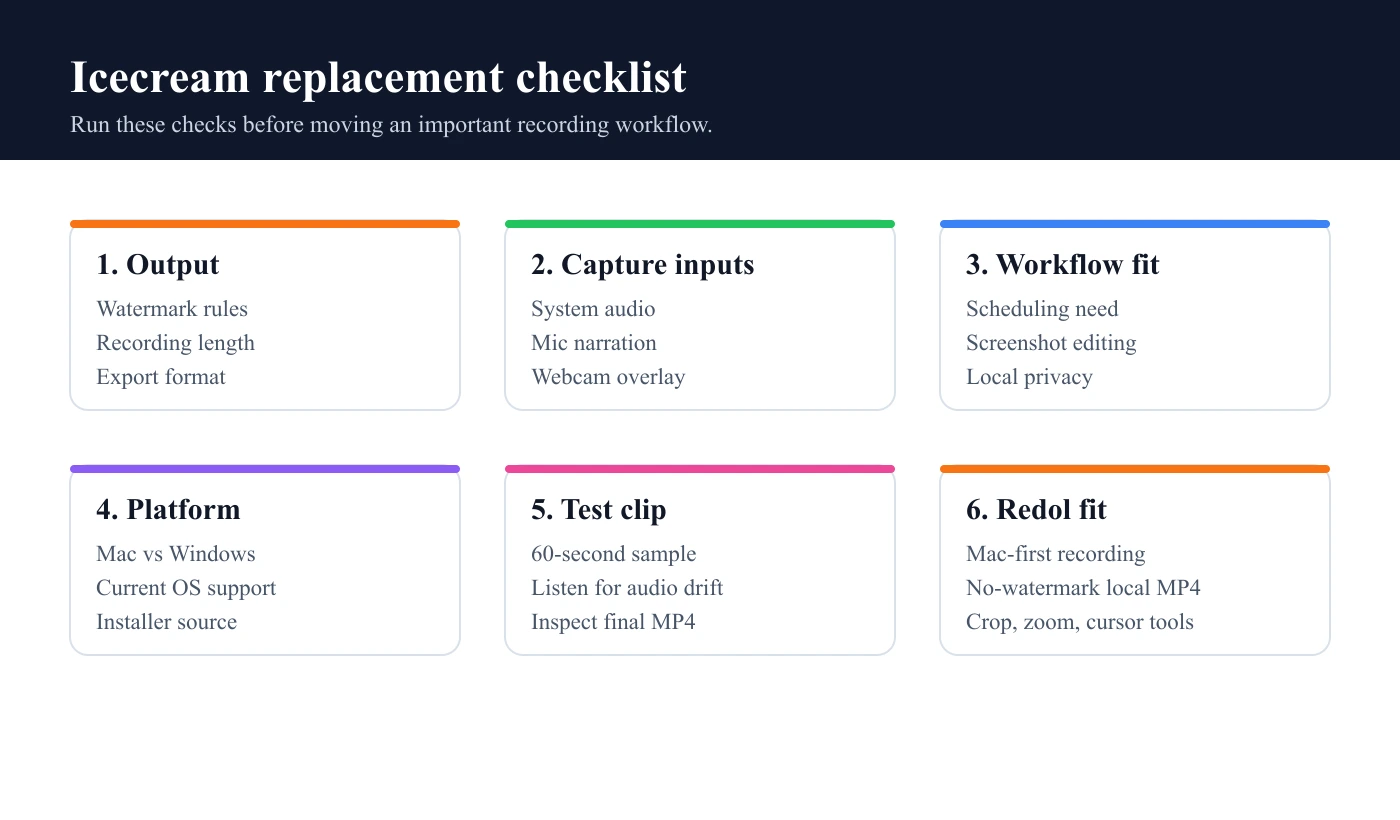
Use this checklist:
| Check | What to verify | Why it matters |
|---|---|---|
| Watermark | Does the output include any mark on the free or trial plan? | Public tutorials, client work, and course clips need clean export |
| Recording length | Can the plan handle the full session? | Webinars and courses fail badly when a limit appears mid-recording |
| Audio | Can system audio and mic narration record together? | Tutorials often need both app sound and explanation |
| Webcam | Can the overlay stay clear and positioned correctly? | Facecam recordings fail when the overlay hides the product |
| Crop and zoom | Can you focus the viewer without a heavy editor? | Product walkthroughs need attention control |
| Export | Does the final file format match the publishing workflow? | Local MP4 is often the easiest handoff |
| Privacy | Does raw footage stay local when needed? | Screen recordings often include sensitive tabs or app data |
| Platform | Is the current build live for your OS? | Mac, Windows, and Android support should not be assumed |
How to Pair This With Existing Redol Articles
This page should be the alternative-led entry point. Use these supporting links when the reader's job changes:
- Read the Icecream Screen Recorder review if you are still deciding whether Icecream itself is worth evaluating.
- Compare the best screen recording software for Mac if you want a broader Mac shortlist.
- Use the best free screen recorders without watermarks when the main blocker is export marks.
- Compare best OBS alternatives if the problem is OBS setup friction rather than Icecream specifically.
That internal-link structure keeps the pages separate. Review intent asks, "Is Icecream good enough?" Alternative intent asks, "What should I use instead?" Roundup intent asks, "Which tools belong on the shortlist?"
Final Recommendation
Choose Redol as your Icecream Screen Recorder alternative when the job is Mac-first, local, no-watermark, and production-oriented: tutorials, demos, support clips, async updates, and course modules that need clean MP4 export.
Choose Icecream or another broad recorder when the job is Windows-first, scheduler-heavy, screenshot-heavy, Android-related, or tied to a current paid plan feature Redol does not position itself around today.
The safest path is not to trust any feature list blindly. Check the official pages, record a one-minute sample with your real inputs, inspect the export, and choose the recorder that fails fewer constraints for the work you actually publish.
Related posts
About the Author

Zhang Guo
AI Product Manager · Digital Marketing Consultant
AI product manager and digital marketing consultant with a background in music. I see creativity as the bridge between rhythm and logic, where musical intuition and mathematical precision can coexist in every meaningful product decision.
Follow on X